
Create a file in the DataHUB
-
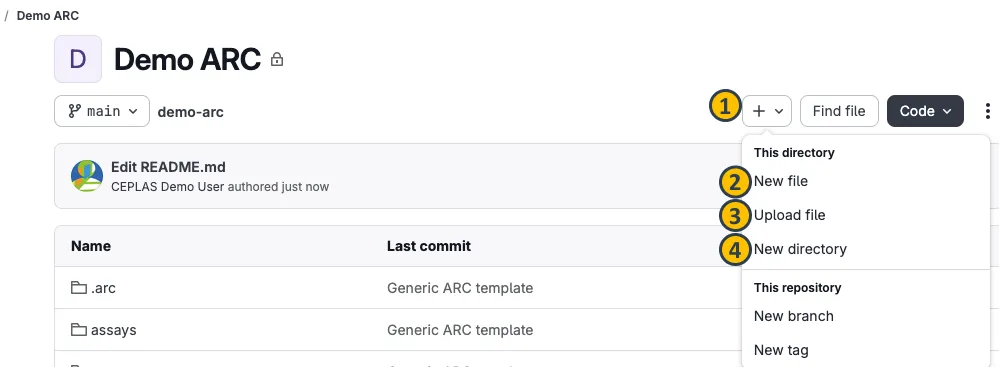
From the ARC panel, navigate to subdirectory of your ARC.
-
Click the plus sign next to your ARC’s name (1).
-
Select New file.
-
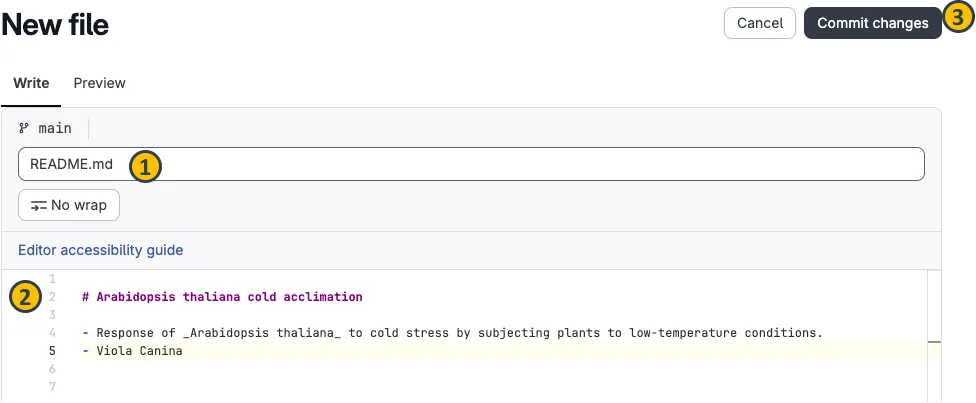
This will open a new dialog where you can create your file.
-
Name the file (e.g.
README.md) (1), -
add some text (2),
-
and commit the changes (3) with a commit message in the next dialog.