
Reference a Protocol
-
On top of the annotation table open the
File Picker.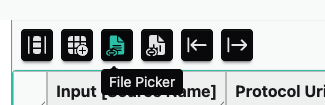
-
In the
File Pickerwidget, clickPick Files. -
From the ARC select the file
protocols/growth_protocol.mdand clickOpen. -
Select a cell in the
ProtocolUricolumn and clickInsert file names.Input[Source Name]ProtocolUriOutput[Sample Name]Cold1 protocols/growth_protocol.md Cold1_leaf Cold2 Cold2_leaf Cold3 Cold3_leaf RT1 RT1_leaf RT2 RT2_leaf RT3 RT3_leaf -
To fill the complete column with the same value, right-click on a cell and select
Fill Column.Input[Source Name]ProtocolUriOutput[Sample Name]Cold1 protocols/growth_protocol.md Cold1_leaf Cold2 protocols/growth_protocol.md Cold2_leaf Cold3 protocols/growth_protocol.md Cold3_leaf RT1 protocols/growth_protocol.md RT1_leaf RT2 protocols/growth_protocol.md RT2_leaf RT3 protocols/growth_protocol.md RT3_leaf