Annotate in Excel
With the ARCitISA Excel add-In you can annotate the ARC metadata directly in excel.
Installation
Section titled “Installation”We recommend the installation using the excel-browser version provided by microsoft because the set up is much easier than with a local excel version.
-
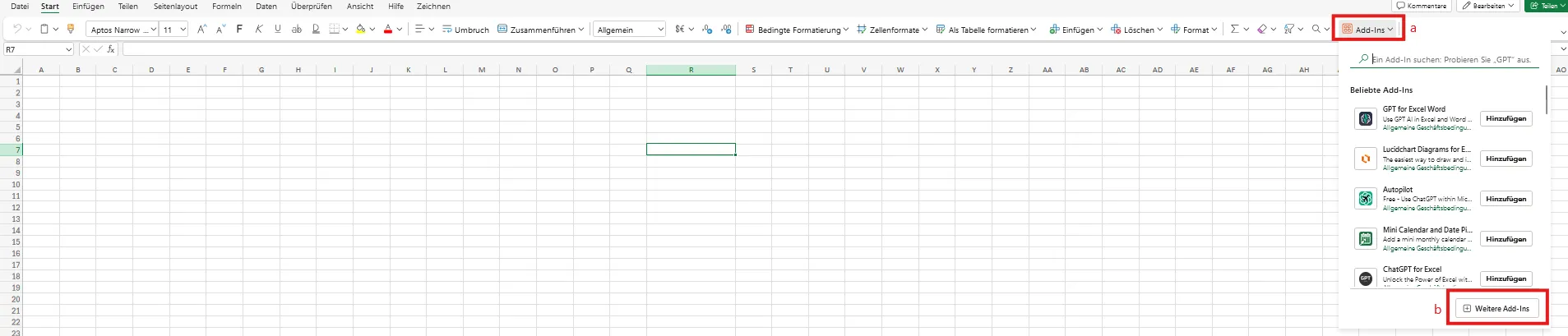
Upload the manifest file to Excel, by clicking on the Add-Ins button (a) in the start tab of Excel.
-
Click on the Additional Add-Ins button in the expanded widget
-
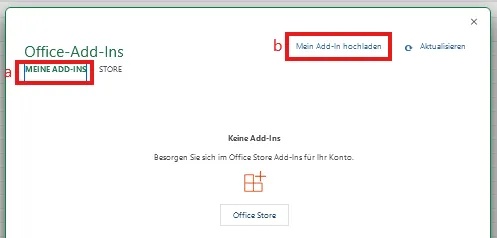
In the next step you select My Add-Ins (a) and Upload My Add-In.
-
Select the folder where you have downloaded the Manifest File to and select it, in order to upload it.
-
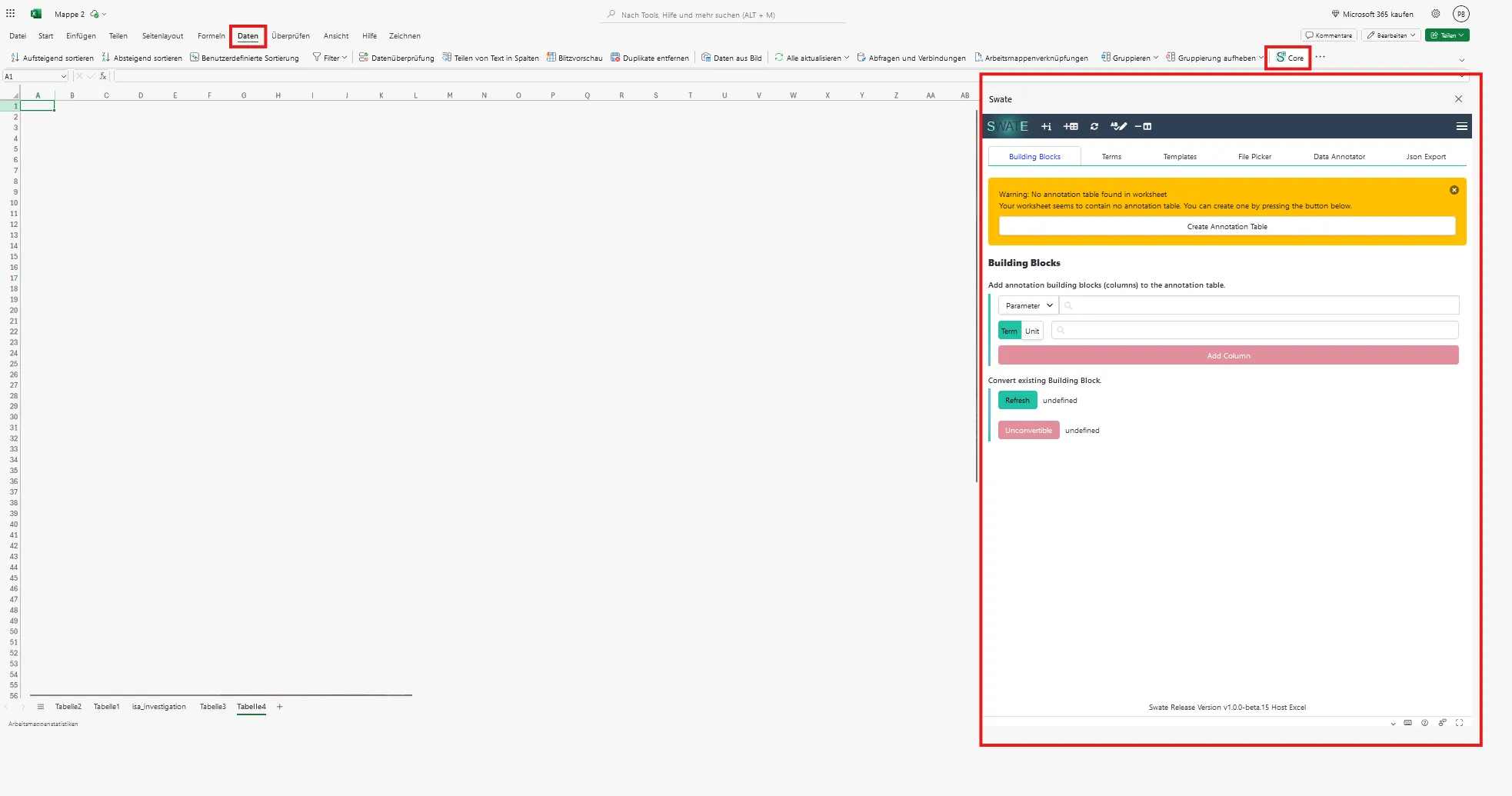
When the installation was successful, the icon of Swate should be available in the data tab.
-
Once you click on the icon, the Swate sidebar should appear. Its size is adaptable and once big enough, the quick icons of the navbar are visible.
-
When everything was successful, it should look similar to this:
-
Right-click this link and depending on your Browser select e.g. “Save Link as” or “Download Linked File” to download the file called
manifest.production.xml - Follow the Microsoft official documentation for sideloading add ins Excel-Add-Ins.
- When the installation was successful, the icon of Swate should be available in the data tab.
- When you click on the icon, the Swate sidebar should appear. Its size is adaptable and once big enough, the quick icons of the navbar are visible.
- When everything was successful, it should look similar to this: