
PLANTDataHUB
- Sign in to the PLANTDataHUB
- Navigate to your ARC.
- Browse the files of your ARC.
- The main panel of the ARC menu mimics the local folder structure
// import ArcitectSync from “@kb/arcitect-gx/start-here/sync.mdx”

Now I have created my local ARC, but how can I share it with my colleagues?
ARCs are the basis of the collaborative research platform and can be seamlessly shared between researchers by using the PLANTDataHUB.
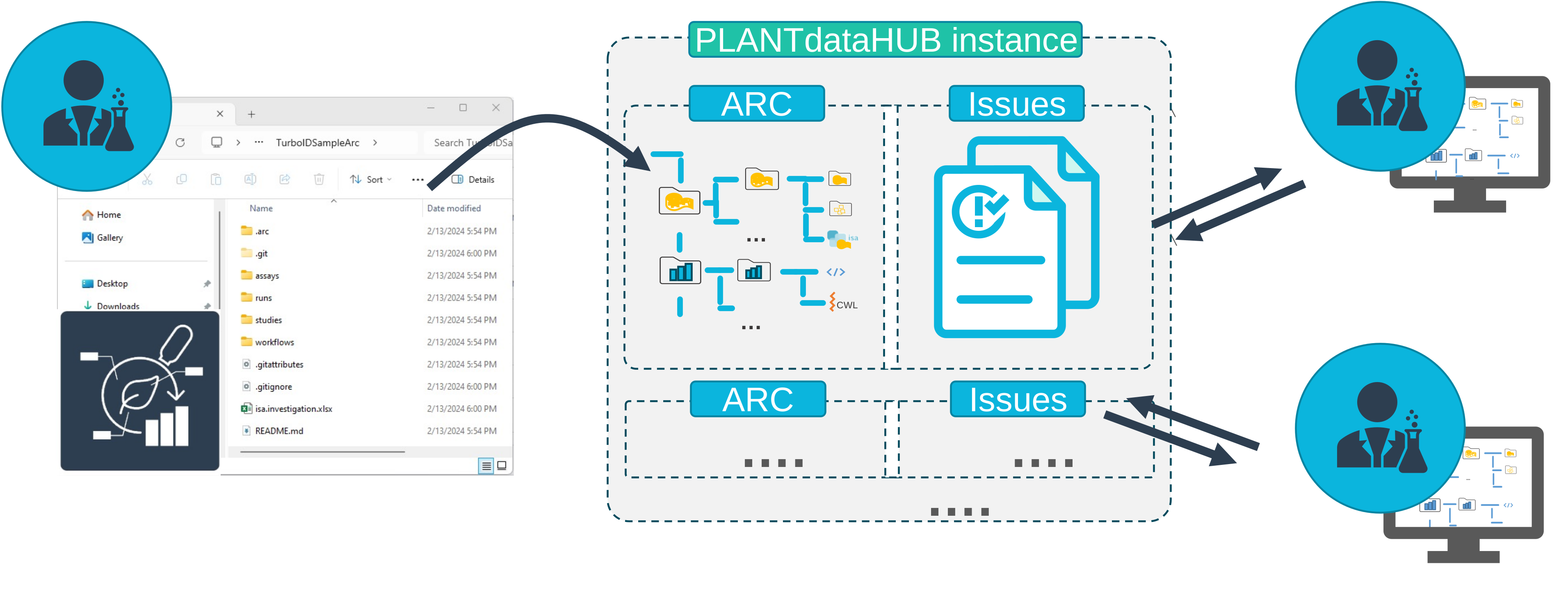
PLANTDataHUB
When inviting new members to an ARC or group, you can choose between different roles.
Now my ARC is stored in the PLANTDataHUB, but how can I add my project partner?
PLANTDataHUB
I will invite my PI Prof. Jasmine Beetroot as Maintainer and my collaboration partner Oliver Sage as Developer.
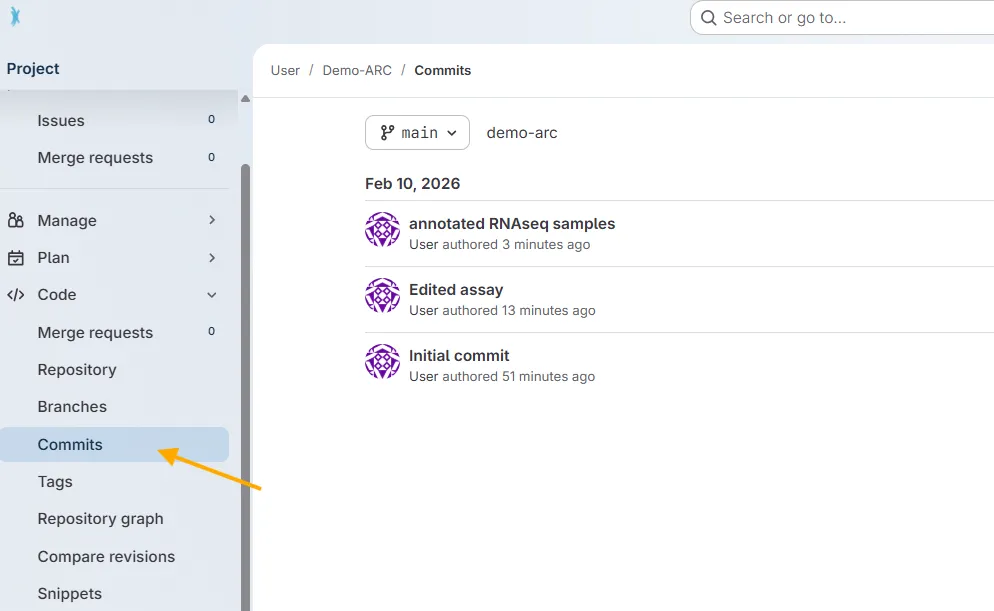
All commit messages added to your ARC via ARCitect or ARC Commander are available in the DataHUB.
Open your ARC in the DataHUB
In the sidebar on the left, navigate to Code → Commits.
There you find a chronological list of commit messages together with who synced (if you collaborate with others on an ARC) and when.
The DataHUB can also be used for Project Management. With work items and issues you can collaborate on ideas and plan your work.
PLANTDataHUB
Click on Plan in the left navigation panel.
Click on Work items.
Create a new item.
It would be good to have summary statistics for sugar measurement from my project collaborator.
Type in a Title Summary statistics for sugar measurement.
Fill out the Description.
Assign yourself or a collaboration partner to the task.
Click Create Issue.