Skip to content

Track changes to your ARC

Tailwind CSS chat bubble component

How can I make sure, other researchers will understand what I did while working on my ARC?

DataPLANT Account

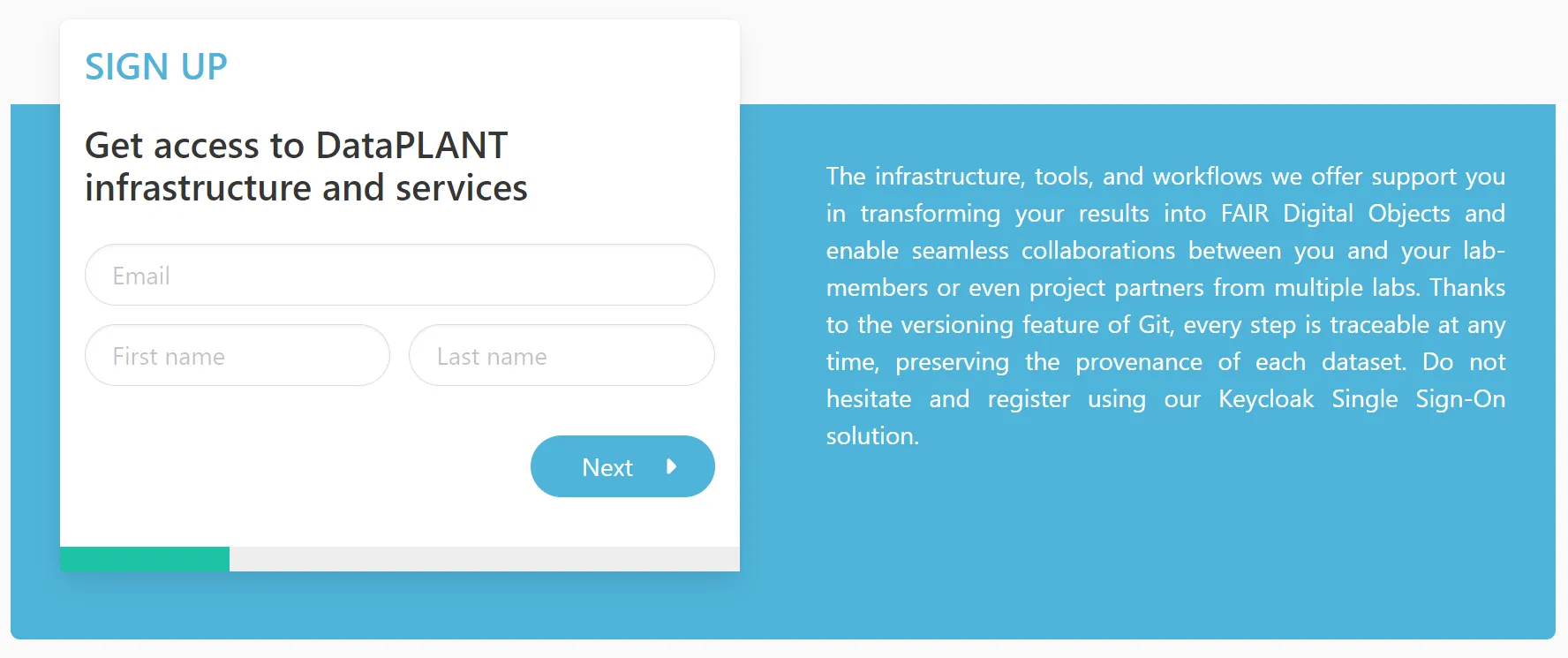
If you do not have an account, please register with DataPLANT to use the PLANTDataHUB.

Follow these instructions to sign up

With a DataPLANT account you can use the DataHUB and share your ARC for collaboration.

Please register here.

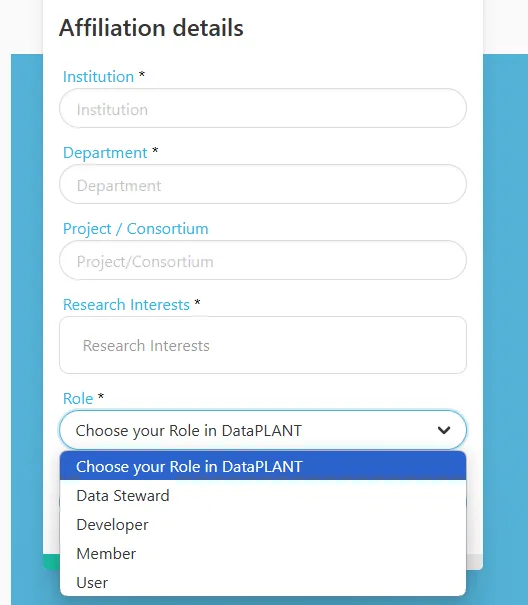
During the registration you can “Choose your role in DataPLANT”:

  • DataSteward
    • Member of / associated to DataPLANT
    • Teaches DataPLANT tools and services to community members
  • Developer
    • Member of / associated to DataPLANT
    • Develops DataPLANT tools and services
  • Member
    • Other member of DataPLANT
  • User
    • User who want to use the DataPLANT tools and services

If you want to adjust your account settings, simply click the login icon in the navigation bar on this site.

  • In the tab “Password” you can modify your password.
  • In the tab “Authenticator” you can set up Two Factor Authentication (2FA).

The ARC comes with a mechanism to track changes. This version control is based on git. Briefly, snapshots of an ARC are called Commits. Every Commit is encoded with the information on who made the change and when and it is accompanied with a note, i.e. a “Commit message” that allows the user to communicate what was changed.

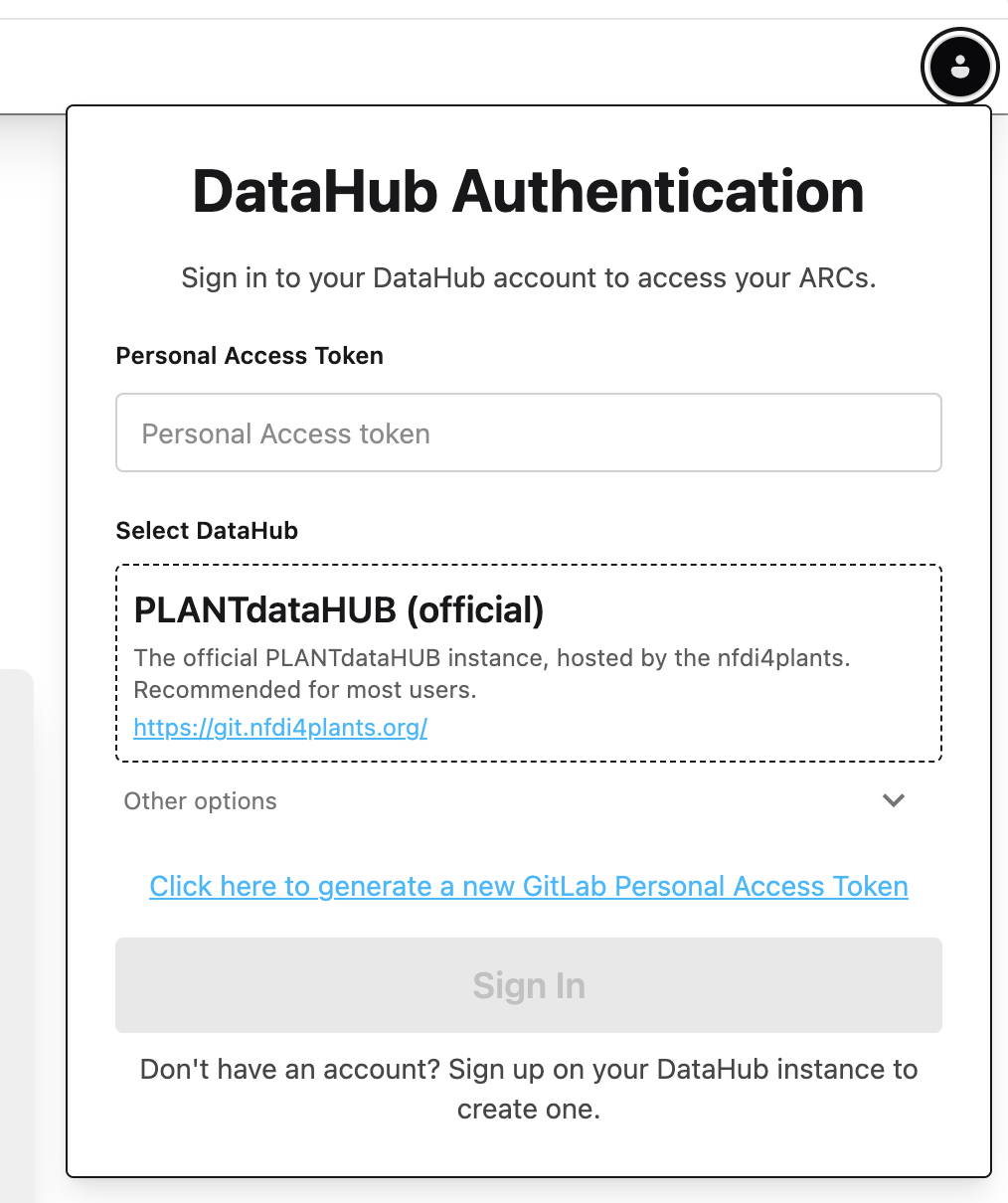
In order to retreive your user information and associate it with your commits, you need to login to the DataHUB.

ARCitect-GX

  1. Click Open the DataHUB Authentication menu in the top-right.

  2. Select PLANTdataHUB (official) git.nfdi4plants.org as DataHUB from the dropdown menu.

  3. Click the link Click here to generate a new GitLab Personal Access Token. This automatically opens your browser at the DataHUB (https://git.nfdi4plants.org) and guides you to create an access token.

  4. Scroll down and click Generate token .

  5. Copy the token on top and paste it into the ARCitect-GX field “Personal Access Token”

  6. Click Sign In

    Tailwind CSS chat bubble component

    Great, now I should be able to work with the DataHUB.

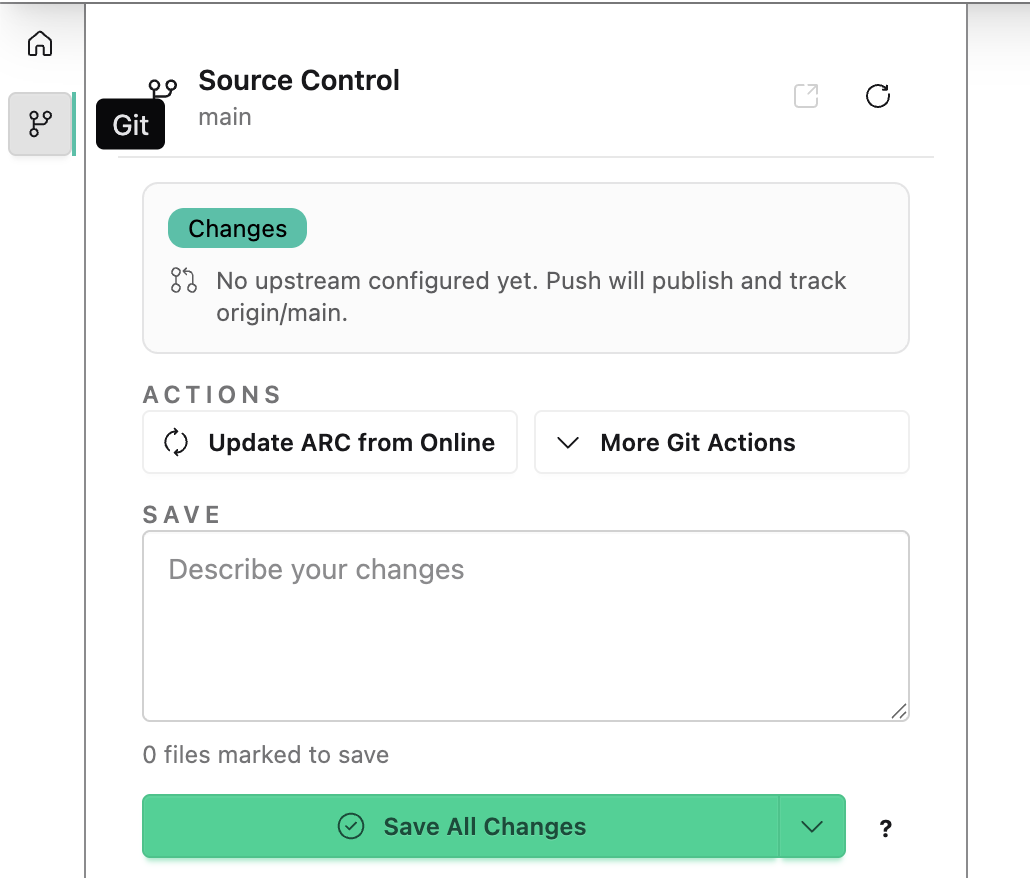
The commit menu allows you to “commit” your changes locally. This saves the changes of your local ARC together with your DataHUB credentials (Name and eMail).

ARCitect-GX

  1. Navigate to the Git / Source Control menu.

  2. Add a message to describe your changes

    Tailwind CSS chat bubble component

    “Created my first ARC and added data.”

  3. Click Save All Changes to store your changes and upload them to the DataHUB.

Try it yourself – add messages to communicate your ARC’s evolution

Section titled “Try it yourself – add messages to communicate your ARC’s evolution”

We recommend adding a message that shortly summarizes, what you did since you last synced your ARC, e.g.

  1. Viola starts a fresh ARC for her project and fills the investigation metadata

    Tailwind CSS chat bubble component

    add investigation info

  2. She adds a study with plant samples

    Tailwind CSS chat bubble component

    create study and add samples

  3. She adds raw data to an assay sugar measurement

    Tailwind CSS chat bubble component

    add sugar dataset

  4. She annotates the dataset using

    Tailwind CSS chat bubble component

    annotate sugar extraction and measurement

ARCitect-GX

  1. Make some small changes to your ARC like adding or editing a text file.

  2. Navigate to the Git / Source Control menu.

  3. Add a message:

    Tailwind CSS chat bubble component

    “Add a README to include some notes”

  4. Click Save All Changes.