
Edit files via the DataHUB
Create a new file via the DataHUB
Section titled “Create a new file via the DataHUB”-
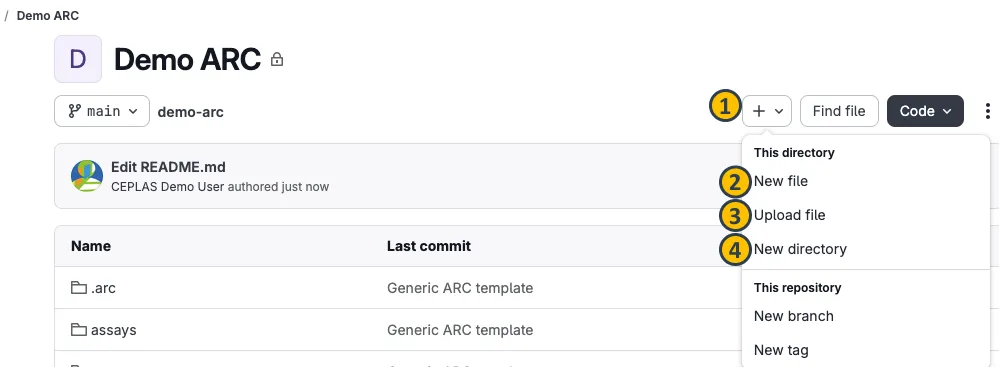
From the ARC panel, navigate to subdirectory of your ARC.
-
Click the plus sign next to your ARC’s name (1).
-
Select New file.
-
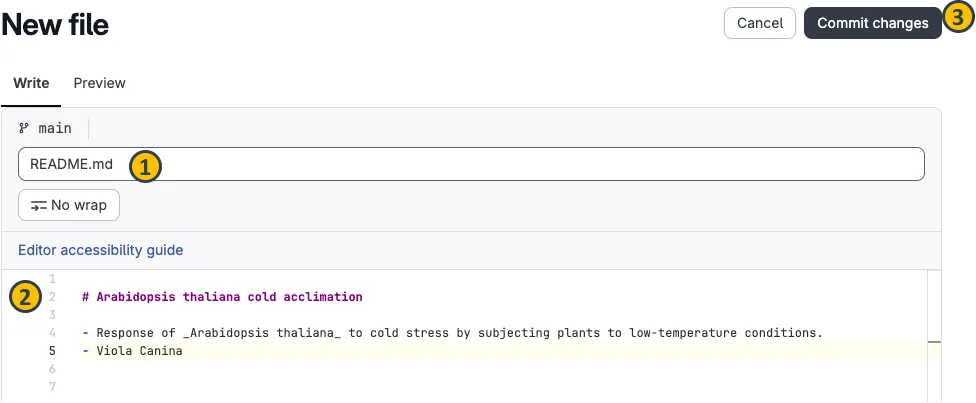
This will open a new dialog where you can create your file.
-
Name the file (e.g.
README.md) (1), -
add some text (2),
-
and commit the changes (3) with a commit message in the next dialog.
Follow your ARC’s progress in the DataHUB
Section titled “Follow your ARC’s progress in the DataHUB”All commit messages added to your ARC via ARCitect or ARC Commander are available in the DataHUB.
-
Open your ARC in the DataHUB
-
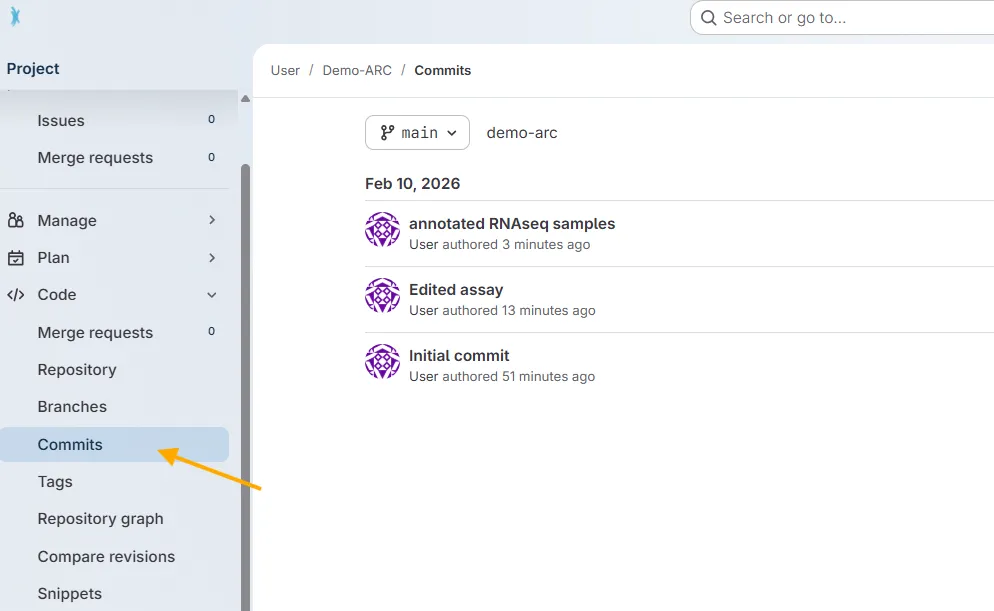
In the sidebar on the left, navigate to
Code→Commits. -
There you find a chronological list of commit messages together with who synced (if you collaborate with others on an ARC) and when.
Download the ARC changes
Section titled “Download the ARC changes”The changes made via the DataHUB are not yet present in the local version of your ARC.
-
Navigate to the
Gitmenu in the left sidebar.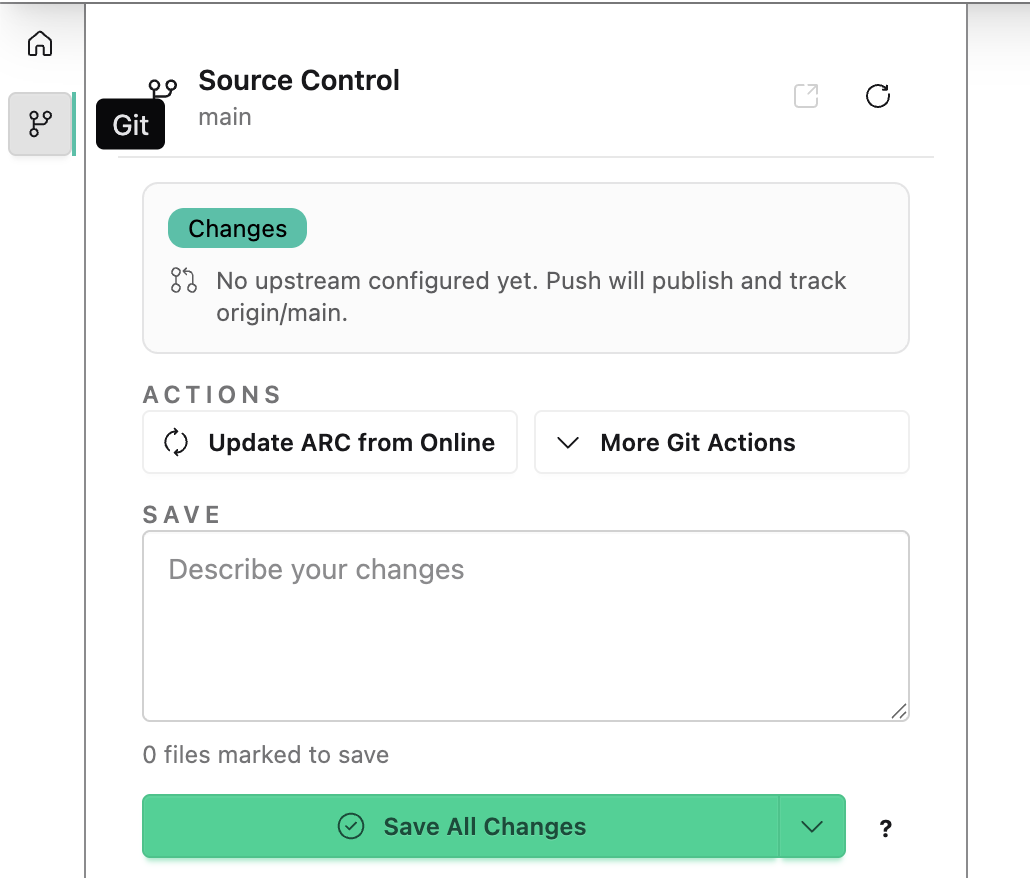
-
Click
Update ARC from Onlineto download the latest changes of your ARC from the DataHUB.
Project Management
Section titled “Project Management”The DataHUB can also be used for Project Management. With work items and issues you can collaborate on ideas and plan your work.
-
Click on Plan in the left navigation panel.
-
Click on Work items.
-
Create a new item.

It would be good to have summary statistics for sugar measurement from my project collaborator.
-
Type in a Title
Summary statistics for sugar measurement. -
Fill out the Description.
-
Assign yourself or a collaboration partner to the task.
-
Click
Create Issue.