
Option I – Virtual assay

What if I have analyzed data in a way that is not perfectly reusable or reproducible – for instance when I use a proprietary software or a colleague helped with data analysis – but I would still want to store and annotate the data analysis in a way comprehensible to others?
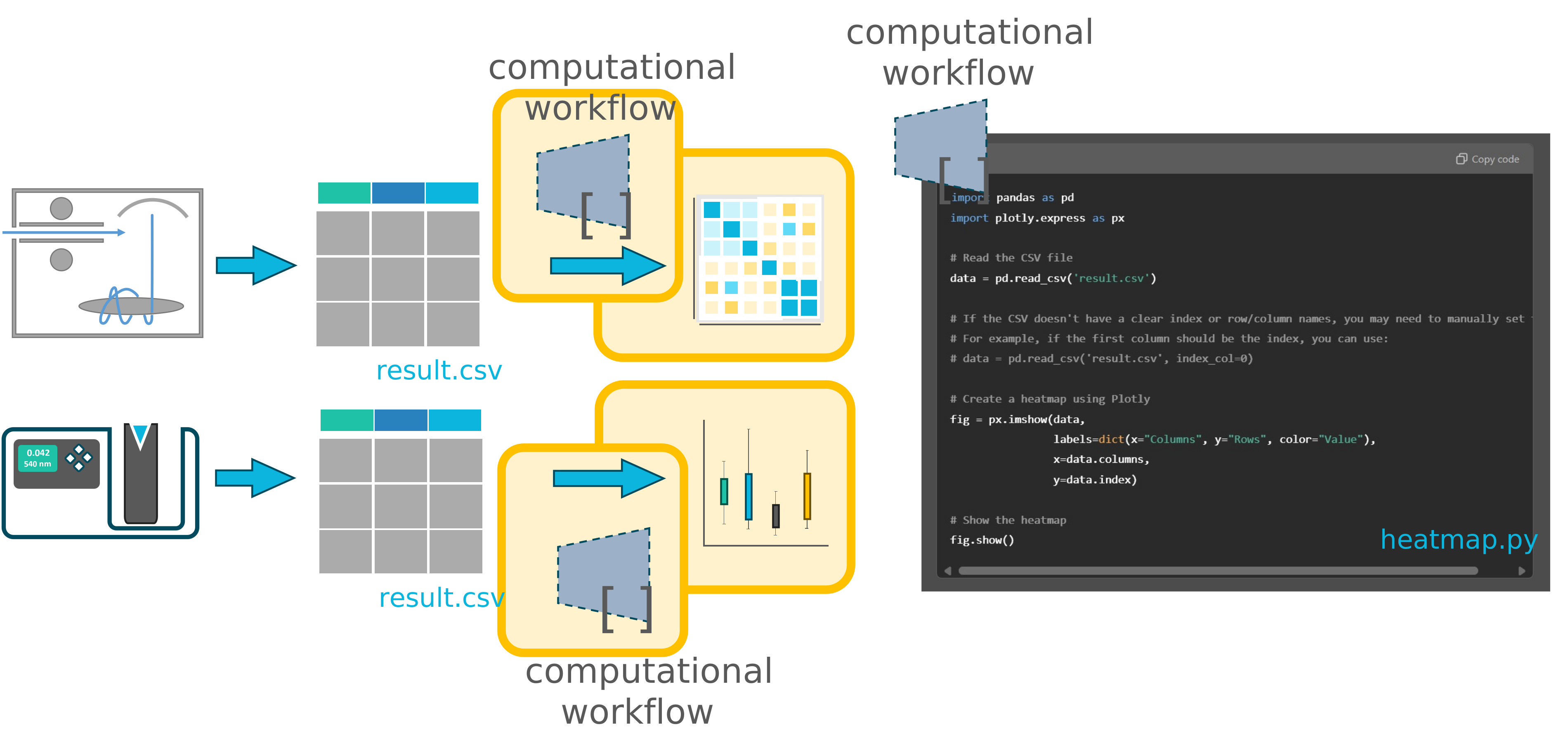
A computational workflow is like a protocol
Section titled “A computational workflow is like a protocol”Just like laboratory workflows produce samples or data, computational workflows produce data. They represent the processing steps used in data analysis or data transformation.
Create a virtual assay
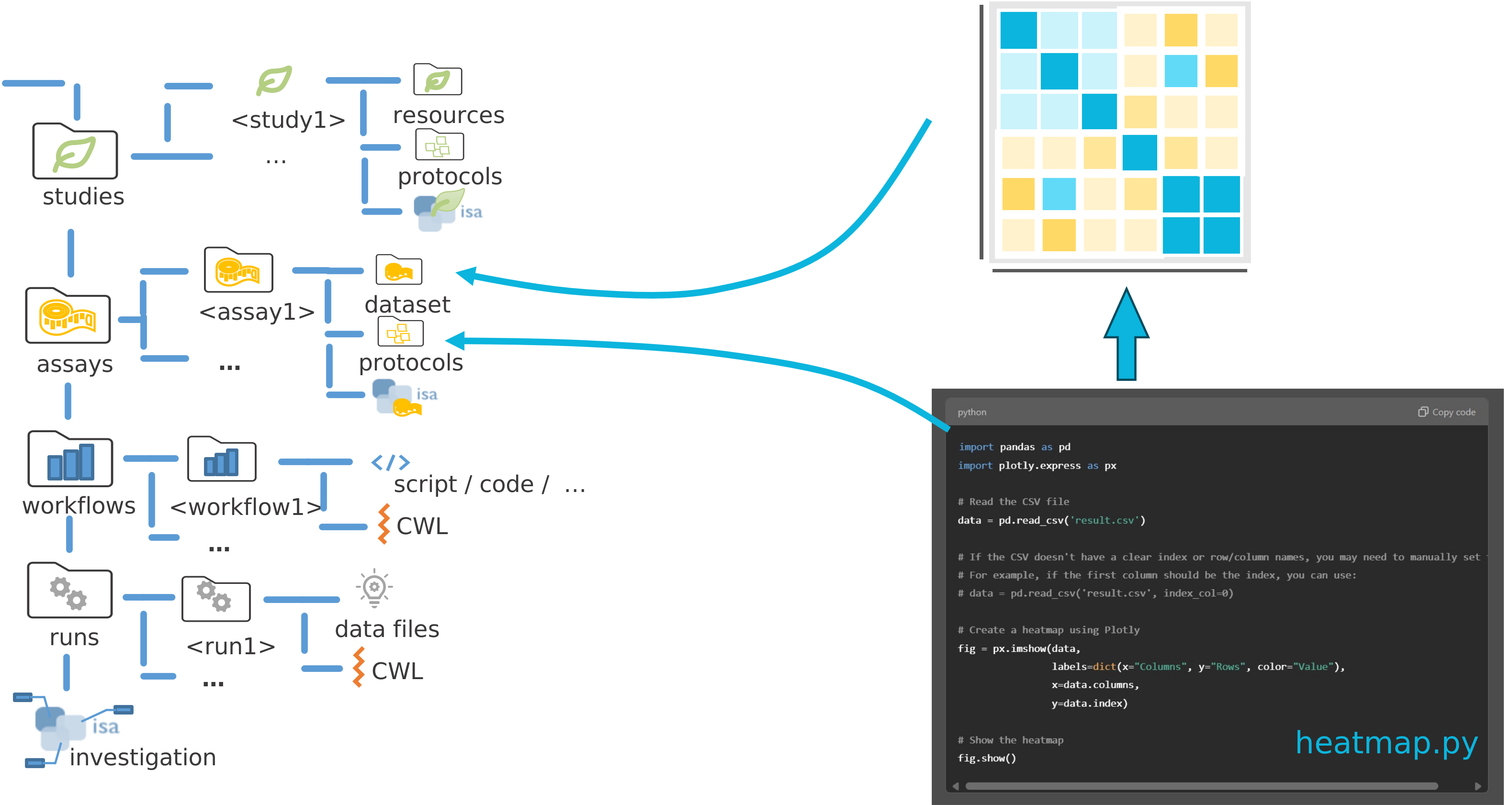
Section titled “Create a virtual assay”A computational workflow can simply be treated as a protocol. This can be a summary of the steps followed in any data analysis software. Or it can be a script.
Hence the data analysis can simply be packaged as an assay, with the computational workflow stored in protocols and the resulting data stored in dataset
-
Add a new assay
Visualization. -
Import the python script
heatmap.pyintoprotocols. -
Import the figure
heatmap.svgresulting from the script intodataset.Directoryassays
DirectoryVisualization
Directorydataset
- heatmap.svg
Directoryprotocols
- heatmap.py
- isa.assay.xlsx
- README.md
- …
-
Add a new annotation table to
Visualizationand clickCreate basic table!. -
This will create the following building blocks:
Input [Sample Name]: Use File Picker to reference the proteomics output file.Protocol Uri: Use File Picker to reference python script.Output [Sample Name]: Use File Picker to reference to heatmap result file.
-
RightclickthenEditto update the input and output columns to beInput [Data]andOutput [Data]respectively.Input [Data]Protocol UriOutput [Data]sugar_result.csv heatmap.py heatmap.svg