
Integrating ARCs in your lab
Here we recommend steps to prepare your lab towards using ARCs to streamline data flows and project management in your lab. This guide can only stay at a very abstract level. Please contact us for data stewardship to work out a suitable solution for your lab together.
-
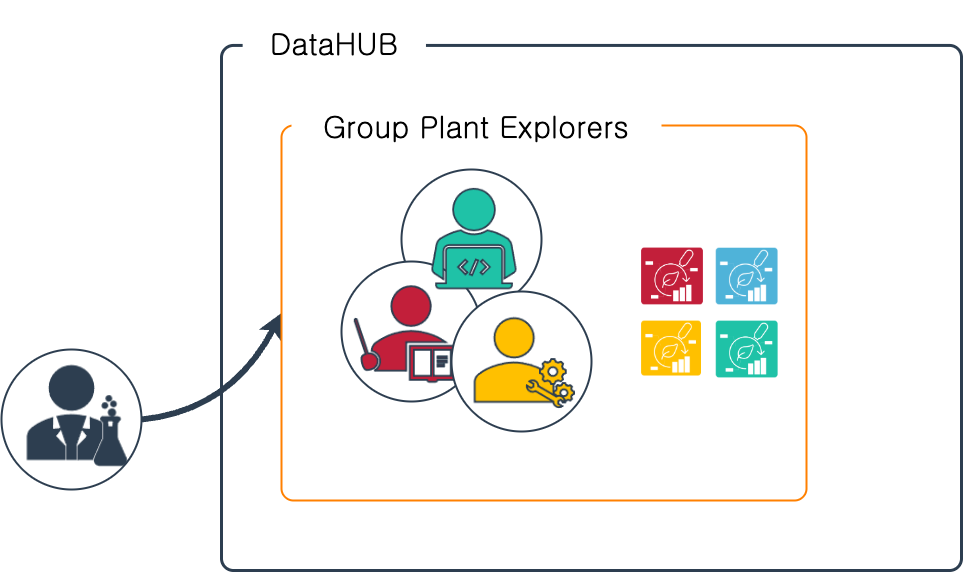
Create a DataHUB Group for your lab
Section titled “Create a DataHUB Group for your lab”- A DataHUB group can help you organize all running projects in one place
- In a group you can easily manage access for multiple ARCs
- You can also create subgroups to better represent your lab’s organization
-
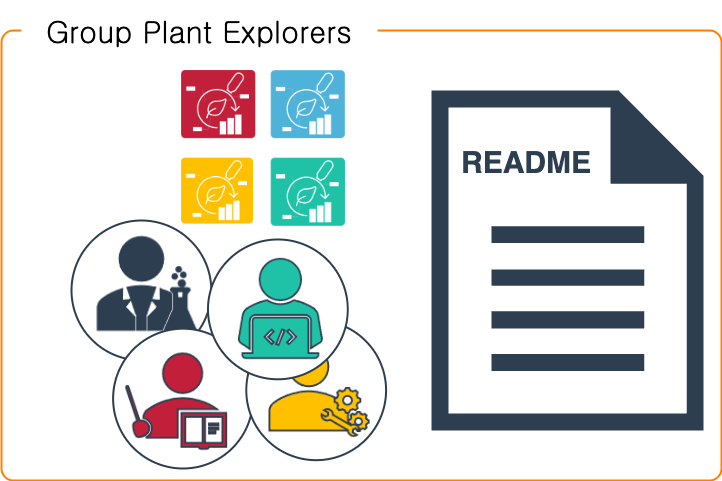
Write a short guide
Section titled “Write a short guide”- Especially for new team members or collaborators, it helps to summarize your lab’s routine with a short guide.
- What are ARCs and how does your lab incorporate them?
-
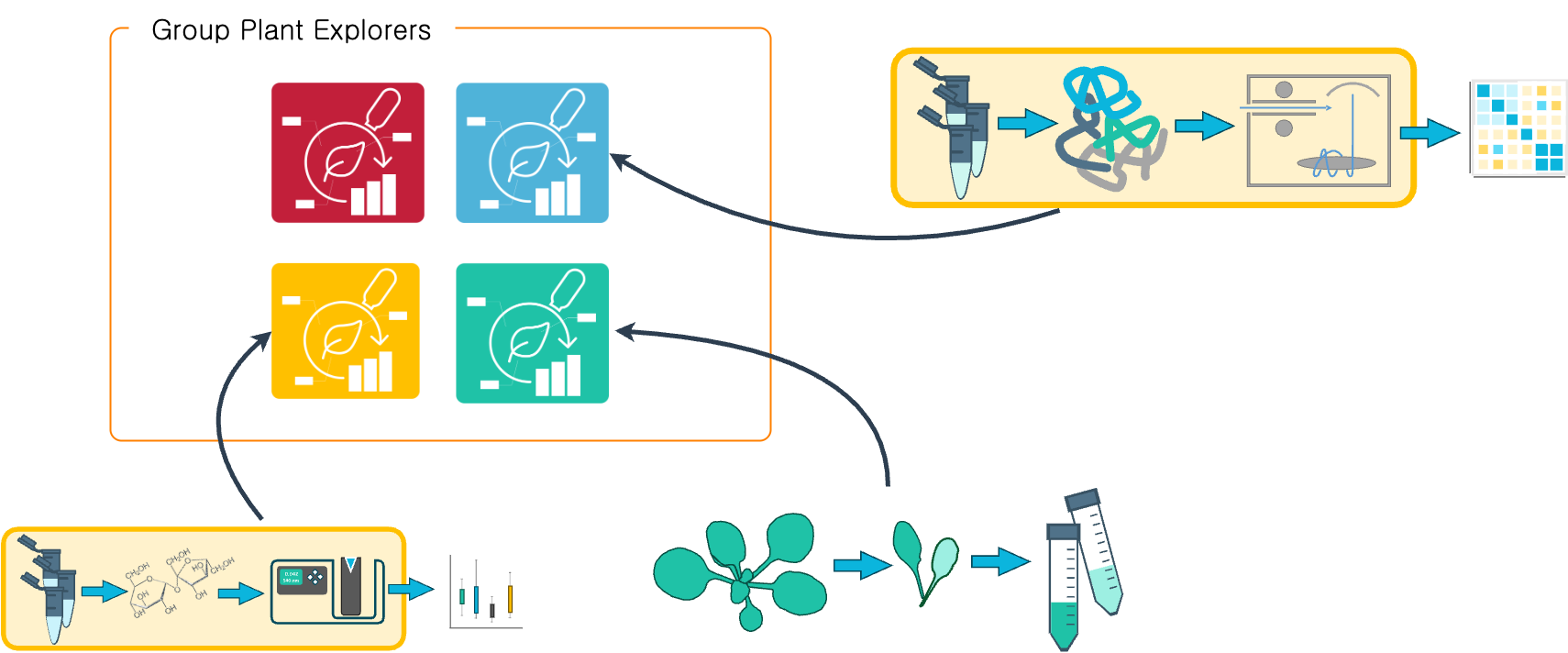
Create example ARCs
Section titled “Create example ARCs”- Try to structure typical experiments run in your lab as an ARC.
- An example ARC helps understand the ARC concept with your type of data and metadata.
- It show-cases where collaborators find what information such as samples, protocols, datasets, results.
-
Package and share ARCs via your DataHUB group
Section titled “Package and share ARCs via your DataHUB group”- Try to gradually transfer running projects into ARCs.
- If you consider sharing already published projects, this guide provides recommendations to create ARCs based on publications.
-
Centralize your projects via the DataHUB
Section titled “Centralize your projects via the DataHUB”- The DataHUB can help as a platform to centralize data from different sources and function as a geo-redundant backup with tracked changes:
- No matter where you work (office desktop, remote laptop, workstation), you can always sync your current state of the ARC via the DataHUB
- You can follow the evolution of a project via ARC’s version control
-
Manage projects via the DataHUB
Section titled “Manage projects via the DataHUB”- The DataHUB offers some additional project management features around the ARCs.
- You can use the wiki associated to the ARC to collect meeting minutes with your collaborators.
- You can use the ARC’s work items board to coordinate tasks between collaborators, team members, data analysts and others involved.
-
Reuse or implement naming conventions
Section titled “Reuse or implement naming conventions”- You can keep naming your ARCs the same way you name your local projects or project folders.
- If available, it is recommended to use your established naming conventions or system of identifiers in ISA metadata. There are designated places for any kind of laboratory items such as projects, samples, components, devices and others.
-
Publish ARCs
Section titled “Publish ARCs”- An ARC can be published with a DOI for citation via DataPLANT’s ARChive.
- This is most often done in connection to an ongoing journal publication: the DOI to the ARC is then referenced in the publication.
- However, ARCs can also be published independently of journal publications, e.g. solely as a “data publication” for several purposes.
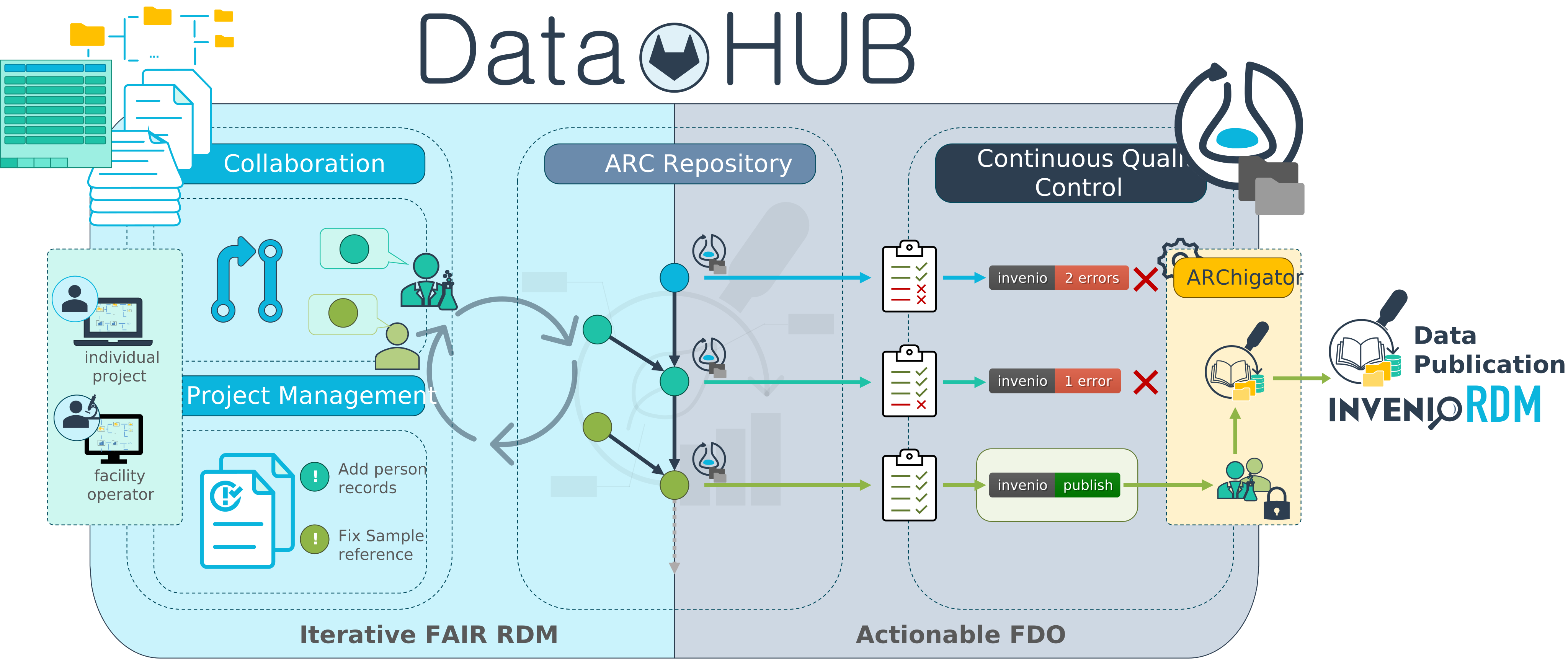
Figure 2 of Bauer, J., Schneider, K., Brilhaus, D. et al. Data Publication Infrastructure for FAIR Digital Objects. SN COMPUT. SCI. 7, 411 (2026). https://doi.org/10.1007/s42979-026-05010-8 -
Design metadata templates
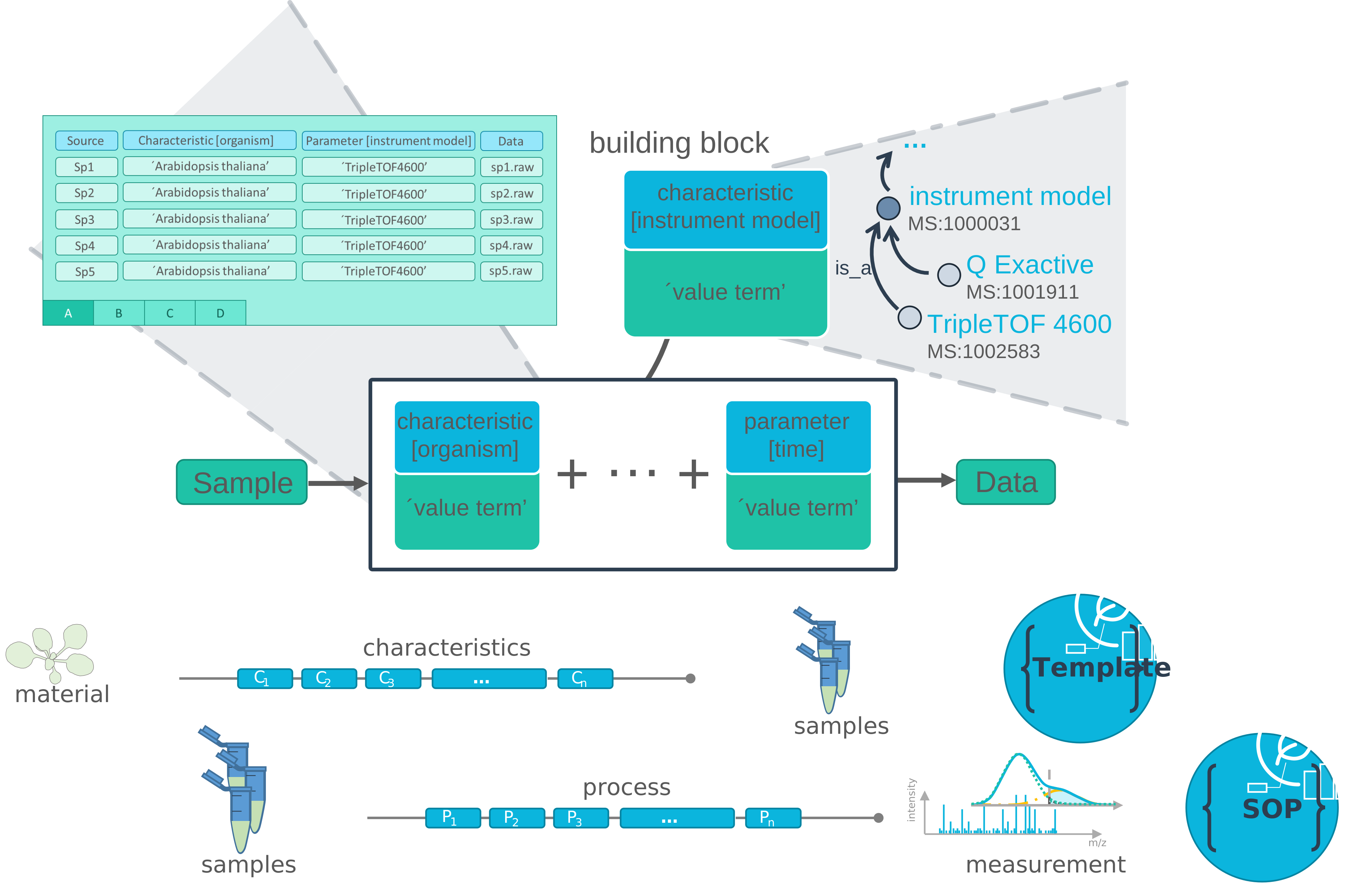
Section titled “Design metadata templates”- Metadata templates allow to unify what metadata is collected for sample annotation and how.
- You, your team members or collaborators can select your public templates directly via Swate.
- You can also store filled-out templates for standard operating procedures (SOPs) as a reusable JSON file.
-
Design metadata validation
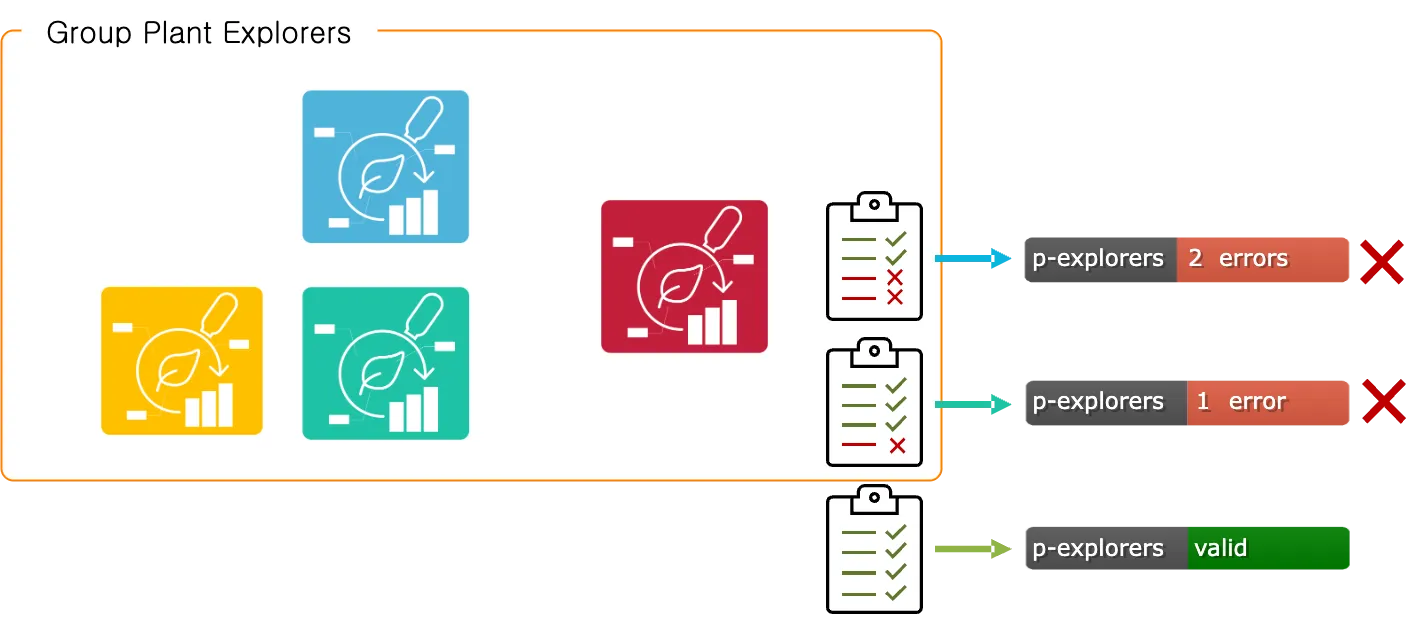
Section titled “Design metadata validation”- The DataHUB offers to automatically validate the content of the ARC on every change.
- You can design a custom validation to e.g. check that required metadata exists in the ARC and that identifiers or names align with your lab convention.
- This goes well hand-in-hand with metadata templates.
-
Create and share reusable computational workflows
Section titled “Create and share reusable computational workflows”- The ARC’s simple directory structure itself helps building routines. No matter whether you work with code or licensed software: across projects, you and your collaborators know, where to find metadata and raw data, where to store processed data and results.
- For code-based data analysis in your lab, you and your team members will already appreciate that common directory structure plus version-control via Git.
- To further boost your code habits, you can design your computations as reusable and reproducible workflows using Common Workflow Language (CWL).
Additional points to consider
Section titled “Additional points to consider”Where do I store my ARC?
Section titled “Where do I store my ARC?”Your lab produces a lot of valuable raw data. Depending on your setup and the type of data you generate, the data is stored on individual machines, hard drives, institutional or internal file shares. For instance, workstations directly associated with measuring devices require quickest data transfer rates or specific security restrictions and write data to proximal data stores rather than a cloud storage.
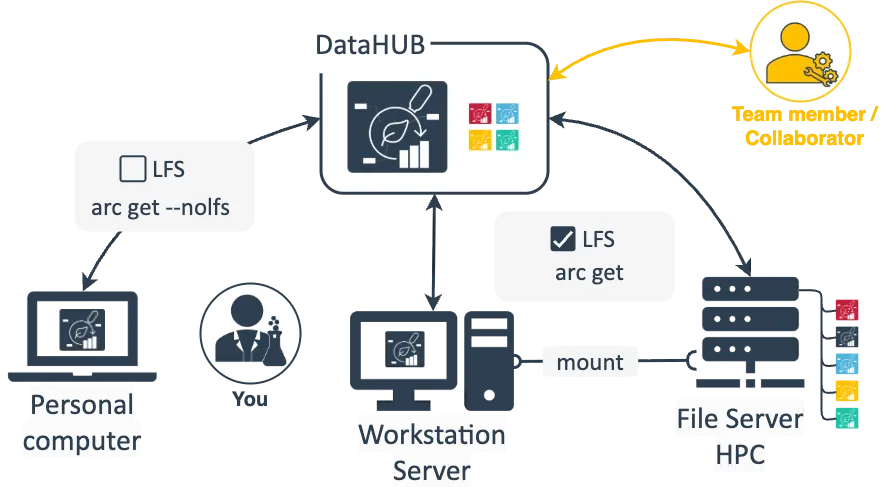
As with projects and data shared via cloud services or other platforms, ARCs do not exist in just one location. Depending on your preferences and current use-case you can choose one of various starting points: you can create your ARC in different locations (e.g. personal computer, shared server or directly in the DataHUB) and to do so you can use different tools (e.g. ARCitect, ARC Commander, ARCtrl, by hand).
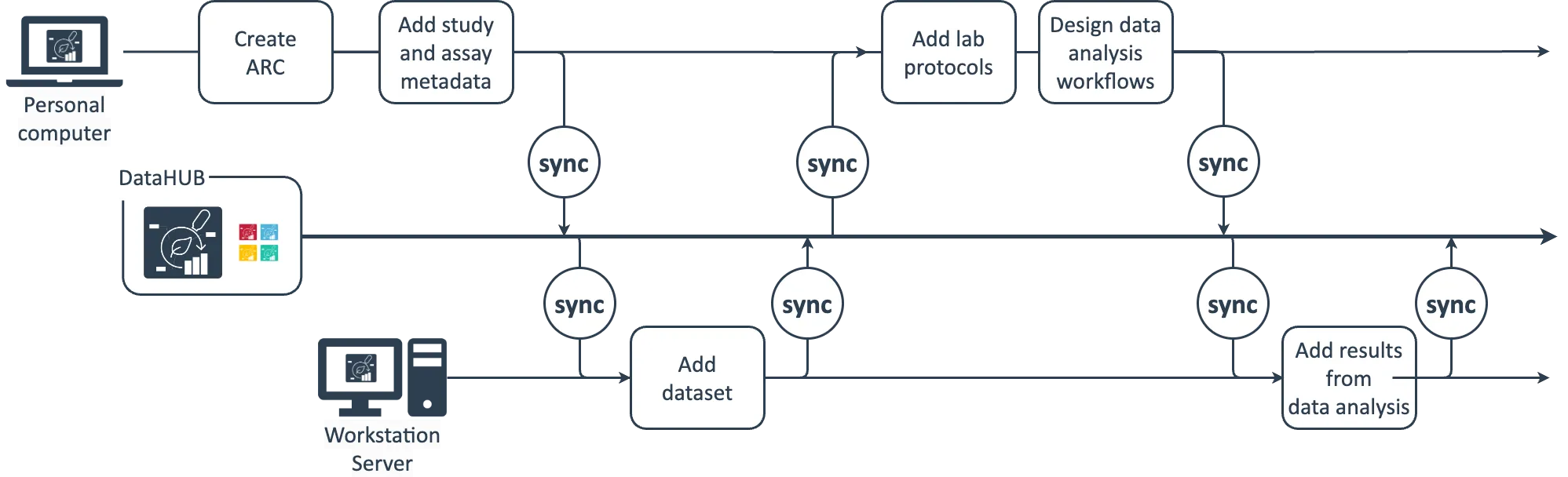
A typical scenario could look like this: You create your ARC on you personal computer, add structure with studies and assays as you see fit and upload the ARC to the DataHUB to have a save copy and be able to share it with collaboration partners. You acquire some large dataset, which you do not want to store or analyze on your computer. Instead you keep this on a larger workstation in the lab or a server or high performance computing (HPC) cluster, where you would also run data analysis workflows. With the DataHUB as the central meeting point, you can keep your ARC in sync across these locations. Simply download the ARC from the DataHUB to your server, add the dataset from there and synchronize it back to the DataHUB. Consider your ARC stored in the DataHUB as the ground truth – even if you delete the ARCs on your local computer or the server, it will still be available in the DataHUB including the change history from those source locations.
Keep the ARCs in sync
Section titled “Keep the ARCs in sync”A few things are important when maintaining ARCs in multiple locations:
- Try to keep your ARC in sync via the DataHUB
- Make sure to sync large files properly
As with any cloud service, when a single file is edited from multiple locations, you can run into merge conflicts. To avoid these, make sure to regularly sync your ARC with the DataHUB and from there sync with your (other) locations before adding or editing data.
Track changes and provenance
Section titled “Track changes and provenance”Different people are involved in the projects passing your lab. From team members to internal and external collaboration partners (collaborators). This makes it sometimes hard to keep track of who contributed how, what, when, why and to manage who needs access to which data.
- The DataHUB facilitates access management across institute boarders
- ARCs document changes and contributions
- The ISA metadata model allows to associate contributors with investigations and studies. List your team members to ensure proper credit for their contributions
How can I share ARCs with external collaborators?
Section titled “How can I share ARCs with external collaborators?”Not all of your collaborators use ARCs or are planning to do so, but you still want to interact and share data with those collaborators in the same routines employed with everyone else. The good thing: they only need a DataHUB account. And they can use their existing ORCID pr LifeScience login to create one.
The DataHUB comes with built-in features that allow interaction with the ARC solely via the web browser without any addional tools.
Additional points to consider for enabling platforms
Section titled “Additional points to consider for enabling platforms”Project communication and data flow
Section titled “Project communication and data flow”Enabling platforms interact with many versatile collaborators. Most platforms have established workflows or routines for (i) project initiation, (ii) submission of samples to be assayed, (iii) exchange of and access to generated data. This communication typically includes a ping-pong of meetings and emails to shape the study in mind, elaborate the biological question and hypothesis, define the most suitable method offered by the platform. To effectively process the project, the platform raises requirements for how samples need to be prepared and submitted.
Streamline data exchange with collaborators
Section titled “Streamline data exchange with collaborators”During project collaboration a lot of information including metadata is exchanged. Here’s an idea what your data flow could look like with the ARC:
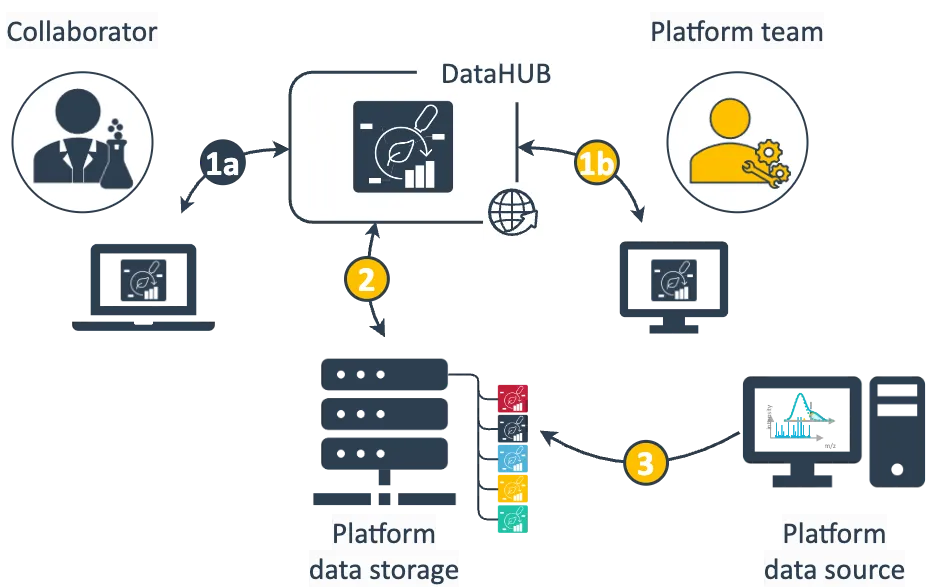
- Data exchange between collaborator and platform occurs through the ARC shared via the DataHUB. Depending on the phase of the project this involves different data and information.
(1a) The collaborator primarily describes the investigation’s goal and study design, annotates the submitted samples with metadata and adds associated protocols. Once available the collaborator receives assayed data and relevant information.
(1b) The platform team receives relevant sample metadata to run the respective assay and complements the ARC with platform-specific assay metadata, protocols and standard operating procedures (SOPs). - A clone of the ARC is stored locally at the platform.
- From the platform data source, e.g. a workstation attached to your assay device, the generated data can directly be written or transferred to the assay dataset folder of your ARC stored in the file storage
Who initiates the ARC: platform or collaborator?
Section titled “Who initiates the ARC: platform or collaborator?”You decide whether you prepare the ARC for you collaborators (scenario A) or meet them half the way (scenario B). Eventually this depends on different factors, e.g. the type of collaboration you agreed upon or whether or not the collaborators are used to work with the ARC and associated tools.
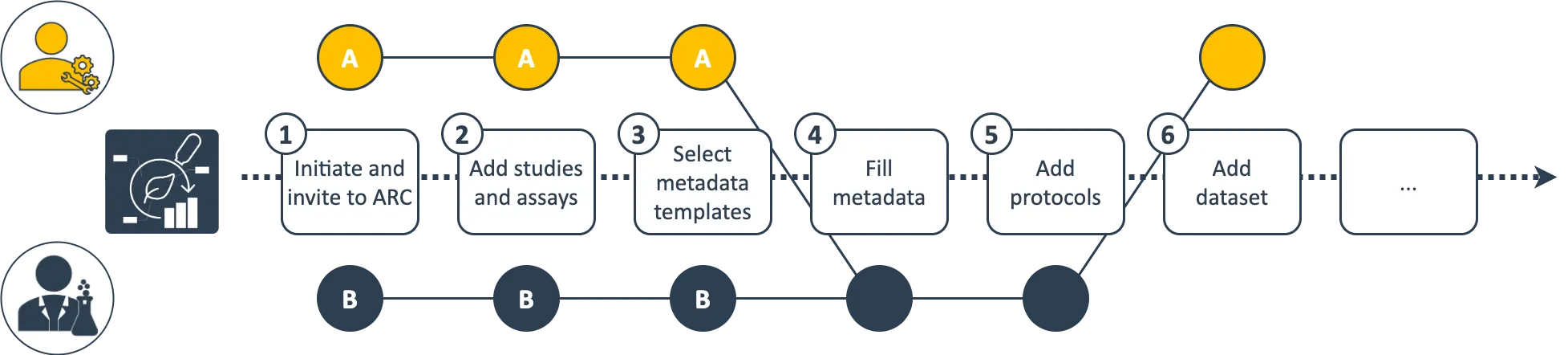
Following the exemplary scenario A, you could setup the ARC for your collaboration (1), add the relevant studies and assays (2) as well as templates (3) as discussed with them and ask them to complement the required metadata (4) and protocols (5) before you can run the assays and add the dataset (6).
Alternatively, collaborators already working with ARCs could invite you to “their” ARC (exemplary scenario B). They can independently set up the ARC and fill metadata (4) based on your prepared templates (3).
Can we retain the established naming convention for project management and data storage?
Section titled “Can we retain the established naming convention for project management and data storage?”Running a central platform, you probably follow an established project management system or naming convention. This is particularly important for how project folders are named on your platform’s data storage. When implementing ARCs, you do not need to change this system. You can simply name the ARCs the same way you are used to name your project folders.
This is also true for scenario B exemplified above. You can simply fork the collaborator’s ARC and rename it according to your system.