
Request for publication (RFP)
Once the validation against the invenio package passes (indicated by a green badge), one can proceed with the Request for Publication (RFP) of the ARC. The request is submitted via the ARChigator interface, which is accessible through the DataHUB.
Check the ARC publication record
Section titled “Check the ARC publication record”-
Click on the
 badge to open the ARChigator dashboard.
 -
You are redirected to the ARChigator dashboard and receive an email about a new personal access token.
-
In the ARChigator dashboard, you can review the ARC metadata and data of the publication record that will be created in the ARChive:
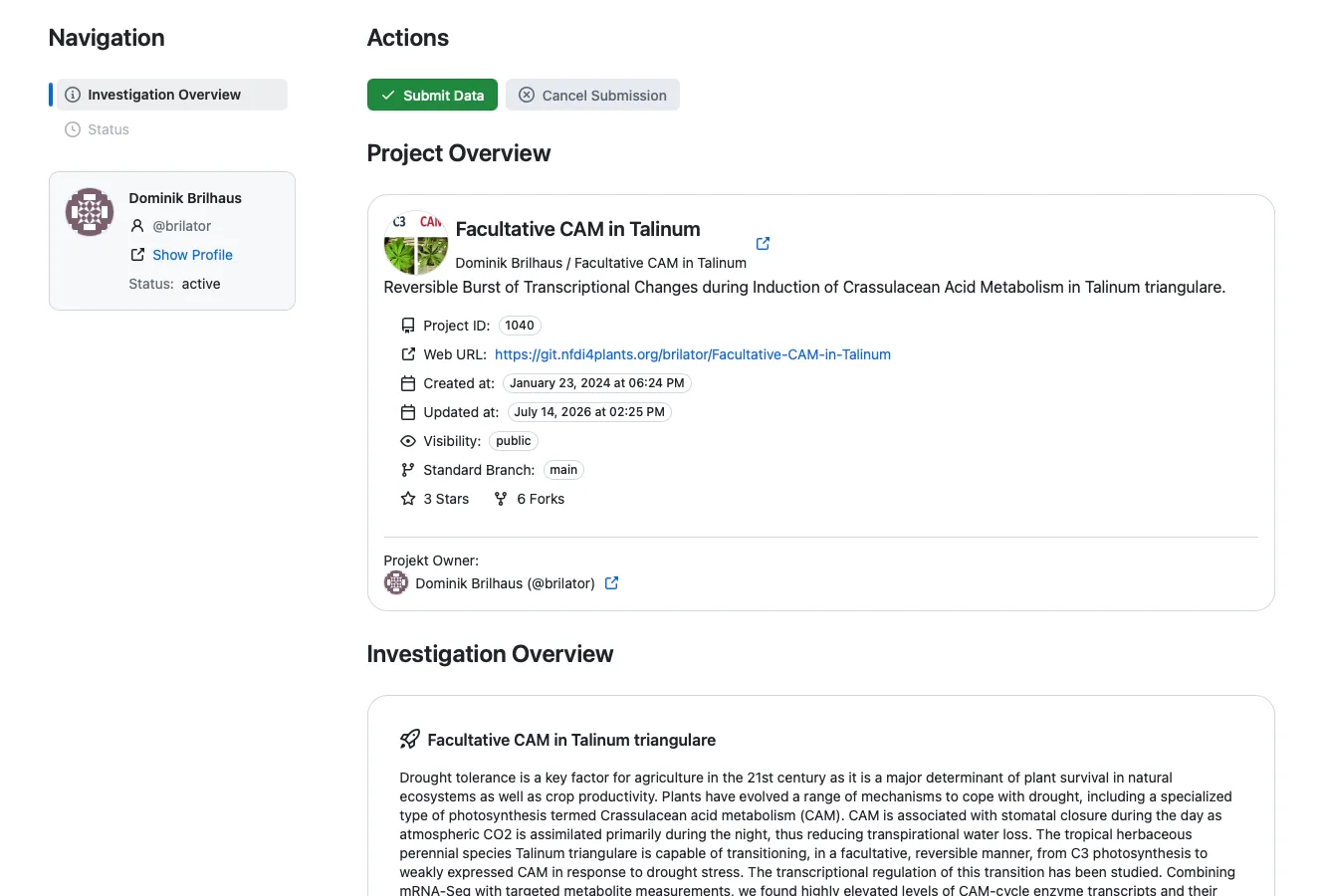
The ARChigator dashboard summarizes what will be shown in the ARC publication record:
- A project overview including the ARC source URL, creation date, and the ARC identifier
- Selected investigation metadata from the ARC, including title, description, and contacts (i.e. authors)
- A preview of the file and folder structure of the ARC, that can be navigated to check all data and metadata files
Request for publication
Section titled “Request for publication”-
Double-check the data and metadata
-
Open the Request for Publication (RFP) by clicking

Publication status
Section titled “Publication status”-
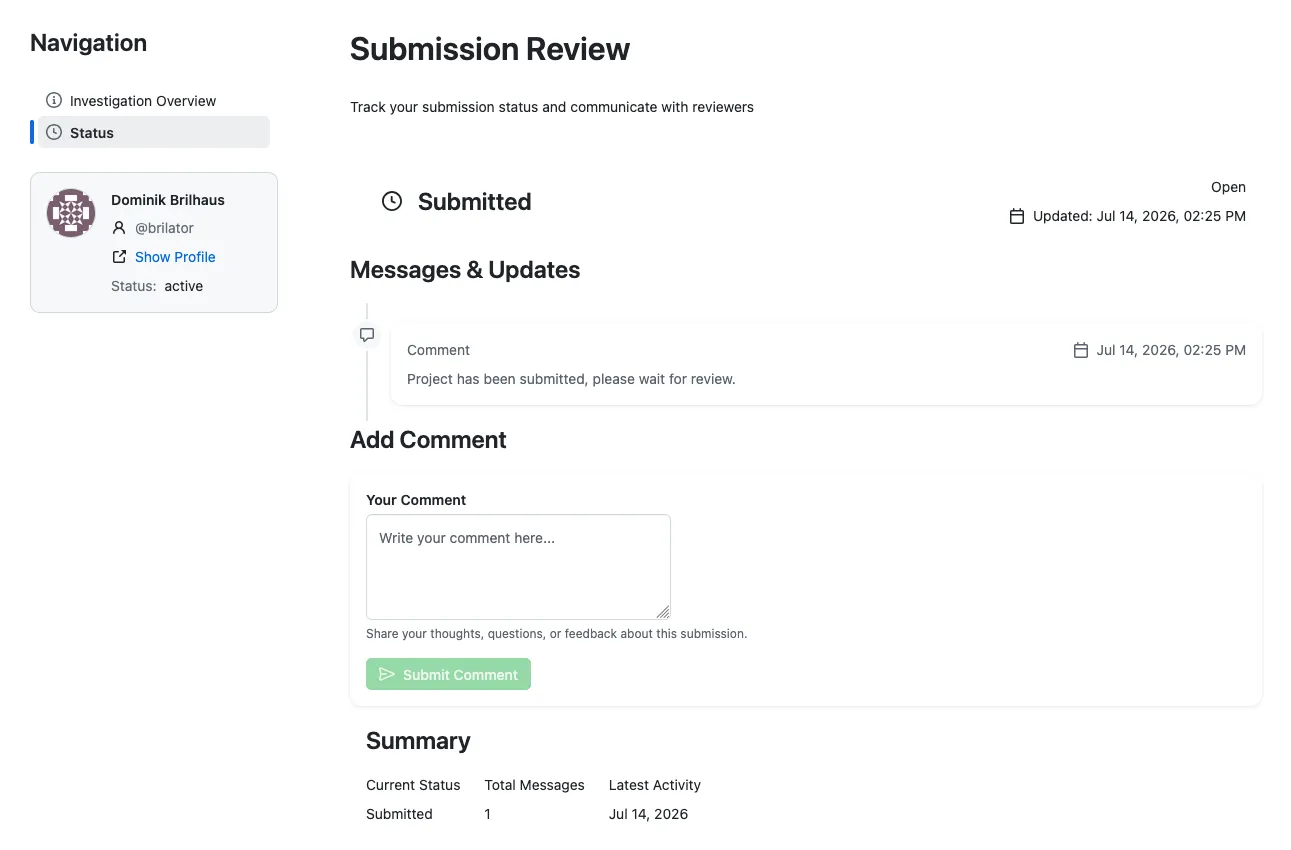
Once an ARC is submitted as RFP, all registered owners of the ARC receive a confirmation email with a link to the ARChigator publication status page of the ARC:
-
The publication status page summarizes the current state, and allows the ARC reviewers to communicate with the ARC submitters and vice versa.
-
The ARC reviewer will communicate the revision via the publication status page.