
Metadata validation
The publication process is initiated with the automated validation. This ensures that the ARC meets the minimum metadata requirements for publication.
Validate your ARC
Section titled “Validate your ARC”You can simply select the validation via ARCitect.
- Open the ARC in ARCitect
- In the sidebar, go to the verified
Validationmenu - Check the box next to the
arc_specificationdropdown - In the section “Custom Validation Packages”, select the
inveniopackage - Select the latest version for both packages and click
Save - Commit your changes via the rule
Commitmenu - Upload your changes via the published_with_changes
DataHUB Syncmenu - Open your ARC in the DataHUB
Check the validation status
Section titled “Check the validation status”The validation is being run in the PLANTDataHUB, where you can also find the validation results.
-
Sign in to the PLANTDataHUB
-
Navigate to the validated ARC
-
In the right sidebar you find several validation badges
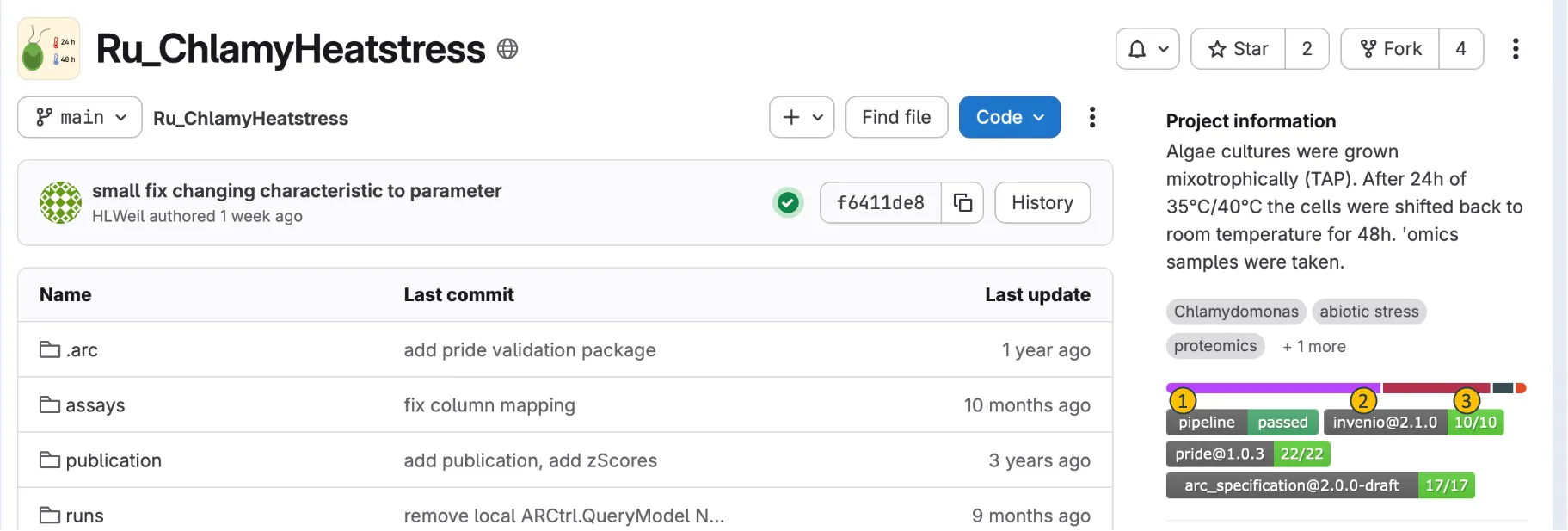
- (1): The
pipelinebadge indicates wether all steps of Continuous Quality Control (CQC) have passed, or if there are any failures. - (2): The
inveniobadge is used to open a request for ARC publication via ARChigator for publication. Clicking the badge will show the failed tests and their details, which can be used to fix the issues in the ARC metadata.
- If an ARC passes the
inveniovalidation, it is eligible for publication. Clicking the badge will open the ARChigator interface to submit a request for publication (RFP) of the ARC.
- If an ARC passes the
- (3): Every CQC badge comes with a count indicator, which depends on the CQC results, and signifies how many of the performed tests have passed, respectively.
- (1): The
Why does the validation fail?
Section titled “Why does the validation fail?”The most common reason for a failed invenio validation for ARC publication is missing or invalid investigation metadata. The invenio validation checks the ARC metadata against a set of critical metadata checks.
Critical checks:
- The Investigation has a title and description
- At least one Investigation Contacts person must have a name, last name, affiliation, valid email, and valid ORCID
- The ARC contains a
LICENSEfile
How to check and fix a failed validation?
Section titled “How to check and fix a failed validation?”-
Click on a red validation badge (e.g.
invenio) to explore the test results. -
Click on the Tests tab (1) and next on validate-invenio (2) to see the results of each individual test performed in the
inveniovalidation.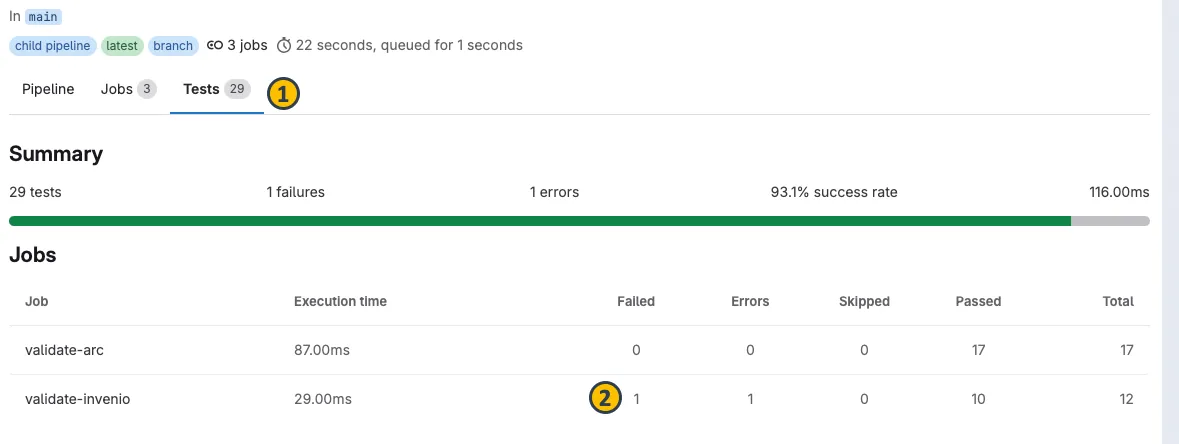
-
Next you see a list of passed and failed tests. Click on “View Details” (3) for a failed test to see the details of the test.
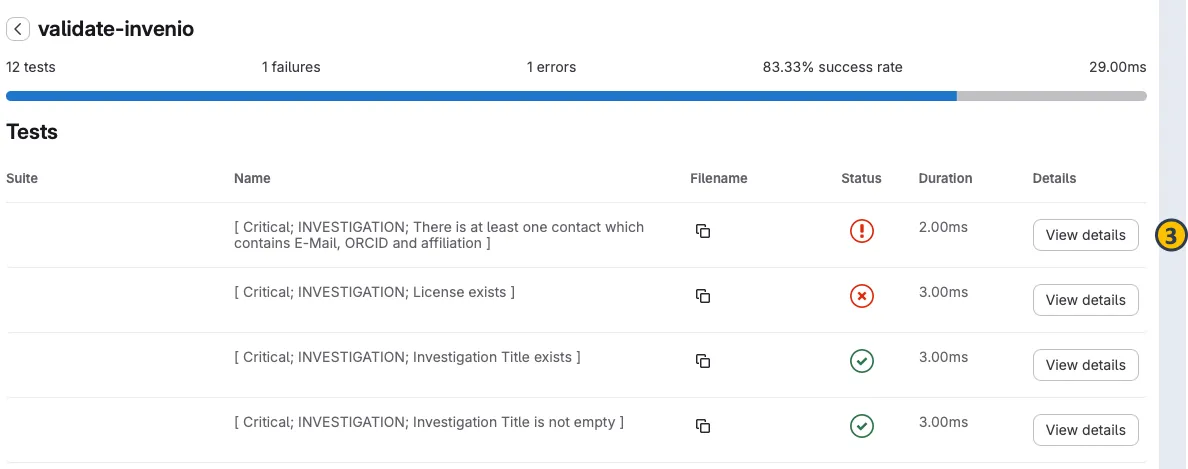
-
Return to your local ARC and fix the issues based on the information displayed in the test details. For example, if a person does not have a first name, add it to the investigation metadata.